Mechanical Keyboard Buying Guide: Switches, Layouts and Features
From Cherry MX to hot-swap boards, this guide explains mechanical keyboard switches, layouts, sizes and features so you can type on what fits you best.
Advertisement
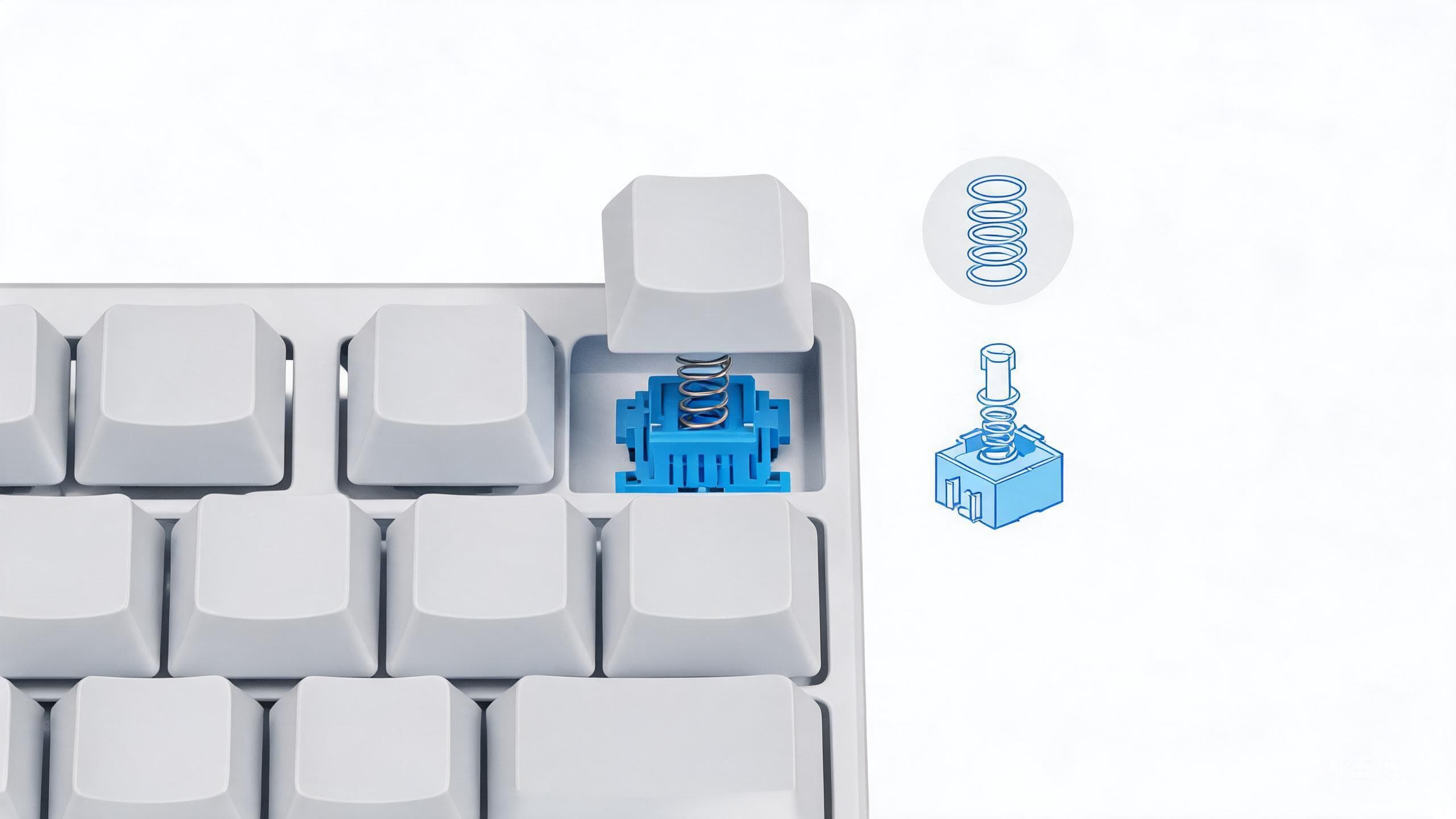
Few pieces of technology get touched as often as a keyboard. Writers, programmers and gamers rack up millions of keystrokes a year, and yet the keyboard is often the last thing people upgrade. Mechanical keyboards have gone from niche hobby to mainstream peripheral in recent years, and the good news is that prices have generally come down while quality has gone up.
The catch is vocabulary. Buying guides throw around switch colors, form factors, hot-swap sockets and mounting styles, and it is easy to feel you need a new hobby just to buy a keyboard. You do not. This guide covers the decisions that matter, in the order they matter.
Why Mechanical Keyboards Feel Different
A conventional membrane keyboard presses a rubber dome under every key, which works fine but gives a soft, inconsistent feel — especially as the domes age. A mechanical keyboard instead gives each key its own physical switch with a metal spring and a distinct actuation point. The result is feedback you can feel, keystrokes that register consistently, and switches that are typically rated for tens of millions of presses per key.
Feel is subjective, which is why the rest of this guide is about narrowing options rather than declaring winners.
Switch Families Explained
Switches are the heart of the keyboard, and nearly all of them fall into three families.
Linear
Linear switches move straight down with a consistent force and no bump along the way. They are smooth and relatively quiet, which makes them a long-standing favorite for gaming, where rapid repeated presses benefit from nothing getting in the way. Cherry's MX Red line is the classic reference point, and equivalents from Gateron, Kailh and TTC are widely available.
Tactile
Tactile switches add a noticeable bump partway down the press, signaling that the keystroke has registered. Many typists prefer this confirmation because you can learn to release the key before bottoming out. The archetype here is the Cherry MX Brown family — a safe default if you are unsure what you like.
Clicky
Clicky switches take tactility further and add an audible click at actuation. The feedback is unmistakable and satisfying — to you. To coworkers, partners and anyone sharing a call with you, it can be a trial. The Cherry MX Blue line is the traditional example. If you share a room, think hard before going clicky.
| Switch family | Feel | Sound | Often preferred for |
|---|---|---|---|
| Linear | Smooth, no bump | Quiet to moderate | Gaming, shared spaces |
| Tactile | Bump at actuation | Moderate | General typing |
| Clicky | Bump plus click | Loud | Typing solo with the door closed |
A note on brands and colors: Cherry pioneered the color naming, but other manufacturers now make their own equivalents, and colors are not standardized across brands. Treat color names as a family, not a guarantee.
Sizes and Layouts Explained
After switches, size is the biggest decision. Smaller boards save desk space and move your hands less, at the cost of dedicated keys.
| Layout | Numpad | Function row | Arrow keys | Best for |
|---|---|---|---|---|
| Full-size | Yes | Yes | Yes | Number-heavy work |
| Tenkeyless | No | Yes | Yes | General use, gaming |
| 75 percent | No | Yes | Yes | Compact all-rounder |
| 65 percent | No | No | Yes | Small desks, portability |
| 60 percent | No | No | No | Minimalists |
Tenkeyless drops only the number pad; 65 percent boards drop the function row too but keep the arrow keys, which is why they have become a popular middle ground. Also check whether a board uses the ANSI or ISO layout — key shapes differ slightly between American and European standards, and keycap sets are not always interchangeable between the two.
Features Worth Paying For
Hot-Swap Sockets
Hot-swap sockets let you change switches with no soldering — pull the old switch out, push a new one in. If you are new to mechanical keyboards, this single feature removes the biggest risk of buying: if you dislike the switches, you replace them for the cost of switches, not of a whole new keyboard.
Keycap Material
Keycaps come in ABS or PBT plastic, and PBT generally resists shine and wear better over years of use. Keycaps are replaceable in any case, but nicer ones out of the box save you an immediate upgrade.
Wireless Connectivity
Many boards now offer Bluetooth plus a 2.4 GHz dongle, often with a wired USB mode as backup. Wireless is genuinely mature at this point, though boards with backlighting tend to need charging more often when untethered.
Programmability
Some keyboards run open-source firmware such as QMK or its companion configurator VIA, letting you remap keys, build layers and tweak behavior without installing anything proprietary. If that software-first philosophy appeals to you, our open-source alternatives guide covers similar approaches across other tools and gear.
Sound and Tuning
In recent years, enthusiasts have pursued a deeper, muted board sound through case foam, gasket mounts and factory-lubed switches. You do not need to care about any of this, but it explains why two boards with identical switches can sound and feel different. Case material matters too: plastic cases tend to sound higher-pitched, while metal cases sound heavier and more damped.
How to Actually Choose
A pragmatic path for most buyers:
- Pick a size. If you never touch the numpad, go tenkeyless or smaller immediately.
- Pick a switch family. Unsure? A tactile, brown-style switch is the traditional safe start.
- Insist on hot-swap unless you already know you love the installed switches.
- Decide on wireless based on whether the keyboard travels or stays docked.
- Keep a return window. Feeling switches before committing is the only real guarantee.
If you are kitting out a whole desk rather than just a keyboard, the same decision-first logic works for wearables too — see our practical smartwatch buying guide for the same approach applied to a very different gadget.
Conclusion
The best mechanical keyboard is the one whose feel matches your hands and your room. Switches dominate that equation, layout shapes how you use the desk, and hot-swap sockets buy you the freedom to be wrong once. Start with a tactile board in the size that fits your space, and you will understand within a week why people become attached to these things.